Power outages and voltage fluctuations can happen when you least expect them. A sudden blackout can interrupt your work, damage sensitive electronics, or cause you to lose important files.
That’s where an Uninterruptible Power Supply (UPS) comes in. A UPS provides backup power during outages and protects your computer and other devices from electrical issues.
At AdmiGram.com, we’ll explain the different types of UPS systems, what features matter most, and how to choose the right model for your needs.
How to Choose an Uninterruptible Power Supply for Beginners
What Is a UPS?
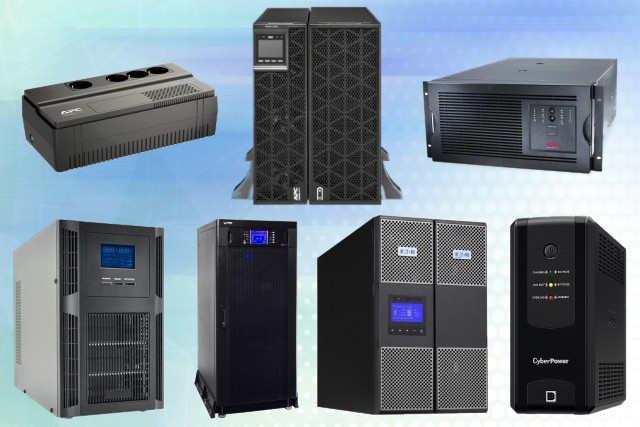
A UPS (Uninterruptible Power Supply) is a device that keeps your equipment running when the main power source fails.
Most modern UPS units do more than provide backup power; they also stabilize voltage and filter electrical noise, offering an extra layer of protection for your electronics.
Types of UPS Systems

There are three main types of UPS devices:
Offline (Standby) UPS
An Offline UPS is the most basic and affordable option. Under normal conditions, your devices receive power directly from the wall outlet. If the power goes out, the UPS quickly switches to battery power.
Best for: Areas where power outages are rare and voltage remains relatively stable.
Tip: If your home experiences frequent voltage fluctuations, an Offline UPS will wear out its battery faster because it switches to battery mode too often.
Line-Interactive UPS
A Line-Interactive UPS is the most popular choice for home and office users. Unlike basic models, it includes a built-in voltage regulator (AVR) that handles minor power fluctuations without constantly relying on the battery.
Best for: Standard home and office PCs, gaming rigs, and consumer electronics.
Tip: Look for a model with a wide input voltage range. This allows the UPS to handle larger voltage swings while preserving battery life.
Online (Double-Conversion) UPS
Online UPS systems provide the highest level of protection. They continuously convert incoming electricity (AC to DC and back to AC) before delivering it to connected devices. As a result, your equipment receives a perfectly stable, clean power supply.
Best for: Servers, NAS devices, networking equipment, and mission-critical systems.
Tip: Online UPS models offer ultimate protection, but they are more expensive and can be louder due to constant fan cooling.
How Much UPS Power Do You Need?
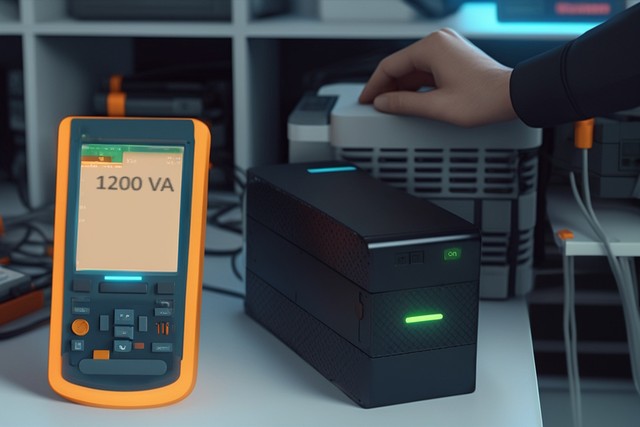
Start by calculating the total power consumption (in Watts) of all devices you plan to connect (e.g., PC + Monitor).
- The 20-25% Rule: Once you have the total wattage, add an additional 20–25% buffer to ensure the UPS can handle future upgrades and brief power surges.
- Watts vs. VA: UPS capacity is often listed in Volt-Amperes (VA) alongside Watts. Ensure your total equipment wattage does not exceed the Watt rating of the UPS. As a rule of thumb, a 1000VA UPS typically handles around 600–700 Watts.
Tip: Choosing a slightly more powerful UPS now will save you from replacing it later when you upgrade your hardware.
Battery Runtime
Most consumer UPS units keep devices running for about 5 to 30 minutes during an outage. The actual runtime depends on the load: a lighter load allows the battery to last significantly longer. Some advanced models also support external battery packs for extended backup time.
Key Features to Consider

Software Support: Many UPS systems include software via USB to monitor battery status and power events. Advanced software can automatically save your work and safely shut down your computer during an extended outage. Verify that the software supports your OS before buying.
Remote Management: Higher-end UPS models support remote monitoring through a network connection (SNMP). This allows IT administrators to track performance, receive alerts, and manage power systems remotely.
Maintenance: Even the best UPS requires occasional maintenance. Check whether the manufacturer offers tech support, and remember that UPS batteries typically need replacement every 3–5 years.
Summary
Choosing the right UPS depends on your devices’ power consumption and required backup time. Line-interactive models are ideal for home use, while online UPS systems are best for critical infrastructure. Ultimately, a reliable UPS prevents data loss and hardware damage, giving you peace of mind.