The issue of information security is of paramount importance for any PC user. Among other software and hardware tools, Uninterruptible Power Supplies (UPS) are used for this purpose. Having a UPS allows you to protect important data from loss and preserve both your PC and peripheral devices.
Choosing an uninterruptible power supply for your computer and home appliances will be significantly easier if you know the basic requirements and a few important nuances. AdmiGram.com will provide detailed information about all the intricacies of selecting a UPS below.
How to choose an uninterruptible power supply for beginners?
A Brief Introduction to UPS
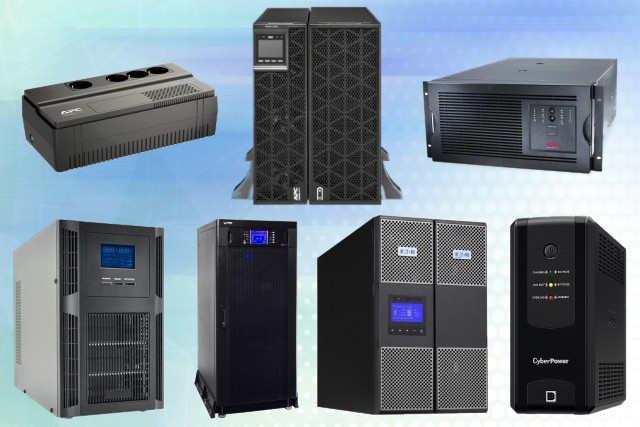
The main task of an Uninterruptible Power Supply (UPS) is to provide power to equipment connected to it (UPS) during power outages or issues.
Most modern UPS units, in addition to their primary task of providing uninterrupted power, also filter the voltage supplied to the load (acting as a power line conditioner) and stabilize voltage (acting as a voltage stabilizer).
Let’s take a closer look at what to consider when choosing a UPS, the types of UPS available, and the technical specifications that play a crucial role in the selection process.
Types of UPS

There are three types of Uninterruptible Power Supplies (UPS):
1. Off-line: This is the simplest UPS scheme and, consequently, the most affordable. Purchasing such a UPS is justified only if your electrical network experiences no voltage fluctuations but occasional power outages. The operation principle of this UPS is very straightforward — when the voltage drops below the permissible limit of the UPS’s input voltage, the device switches to battery operation.
Advice: If your network experiences voltage fluctuations frequently, it’s better to invest in a higher-class UPS like Line-interactive. The reason is that in the case of frequent fluctuations, an off-line UPS will continuously switch between battery and mains power, significantly reducing the battery’s service life.
2. Line-interactive: Compared to off-line UPS, the line-interactive UPS uses a more complex scheme. The output signal in a line-interactive UPS is more accurate compared to off-line UPS (approximated sine wave). This type of UPS includes a built-in voltage stabilizer.
Advice: When purchasing such a device, pay attention to the input voltage range; the broader it is, the better. UPS units with a wide input voltage range will switch to battery power less frequently during voltage fluctuations, thereby extending the battery’s service life.
3. On-line: This scheme features double conversion, meaning the input voltage is independent of the output voltage. The operating principle of this type of UPS is as follows: the alternating current supplied from the grid is rectified by the UPS’s rectifier into direct current, which charges the battery. At the output, there is an inverter that converts direct current back into alternating current and supplies it to the load. On-line UPS units are more expensive but provide protection against all power supply issues. The output of an on-line UPS delivers a pure sine wave.
Advice: Often, it’s more cost-effective to address power supply issues rather than invest in such an expensive device.
UPS Power Rating
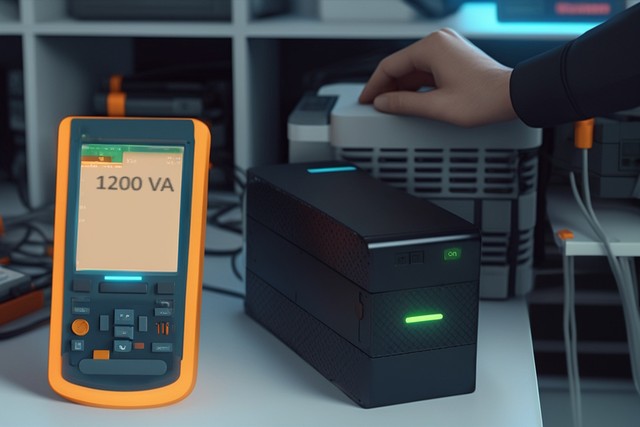
To calculate the required UPS power rating, you should add up the power consumption of all your devices and then add 20-25% to that total. If the UPS power rating is measured in VA (Volt-Amperes) and your devices’ power ratings are in watts (W), you should divide the device power rating by a power factor of 0.6-0.7 (to convert watts to VA). The result of these calculations will give you the necessary UPS power rating.
Advice: It’s better to choose a UPS with a power rating that is 20-25% higher than the power consumption of the equipment you want to back up. This way, as your power consumption increases over time, you won’t need to replace the UPS.
Autonomous Operation
The autonomous operation of a UPS typically lasts from 5 to 30 minutes on average. For longer battery backup, you need to install additional battery packs. It’s important to remember that not all UPS units support the installation of additional battery packs.
The duration of autonomous operation depends on the load connected to the UPS. The higher the load, the shorter the runtime. However, it’s worth noting that the battery runtime doesn’t scale linearly with the load. For example, if the load is reduced by half, the runtime may increase by 2-4 times. If the load is reduced by three times, the runtime may increase by 3-7 times, and so on.
UPS Maintenance

When choosing a UPS, pay attention to the service offered by the seller. Regardless of how advanced a UPS is, it requires periodic maintenance, which should be performed by certified technicians.
Additional UPS Features
Software
Before making a purchase, make sure that the UPS software is compatible with your operating system (OS). The software allows you to monitor the status of the UPS and network events such as power outages and battery operation, bypass mode, and many other parameters.
Using software control provides the capability to shut down applications gracefully, forcibly disconnect certain loads to prolong the runtime of more critical applications, and receive notifications about UPS malfunctions.
Network Management
More advanced UPS units support remote management. This is possible through a communication port and the Internet, with management carried out using the SNMP protocol (Simple Network Management Protocol).